

Brother DCP-T530DW Affordable All-in-one Printer with Wireless and Duplex Features - Black 6.3 kg
Brother DCP-T530DW Affordable All-in-one Printer with Wireless and Duplex Features - Black is backordered and will ship as soon as it is back in stock.
Pickup available at DokkanTech
Usually ready in 1 hour

Brother DCP-T530DW Affordable All-in-one Printer with Wireless and ...

Description
Description
The Brother DCP-T530DW is a compact all-in-one ink tank printer for printing, scanning and copying, with Wi-Fi, Wi-Fi Direct, USB 2.0 and automatic two-sided printing
It prints up to 16.0 ipm in monochrome and 9.0 ipm in colour, while the included full ink bottle set provides an estimated yield of up to 7,500 black pages and 5,000 colour pages under Brother’s stated test methodology
Key Features
Print, scan and copy in one compact device
- Up to 16.0 ipm monochrome and 9.0 ipm colour print speed
- Automatic duplex printing for supported plain and recycled paper up to A4/LTR
- Wi-Fi, Wi-Fi Direct and Hi-Speed USB 2.0 connectivity
- Compatible with Brother Mobile Connect, Apple AirPrint and Mopria
- Front-access 150-sheet paper tray for 80 gsm plain paper
- Refillable front-access ink tank system
- 1-line LCD with 16 characters
- Included ink bottles with estimated yields of up to 7,500 black and 5,000 colour pages
- Compact 390 × 343 × 148.5 mm body
Key Specifications
| Specification | Details |
| Functions | Print, Scan, Copy |
| Colour | Black |
| Print Speed | Up to 16.0 ipm mono / 9.0 ipm colour |
| Print Resolution | Up to 1200 × 6000 dpi Windows / 1200 × 3600 dpi Mac |
| Duplex Printing | Automatic; plain and recycled paper; up to A4/LTR |
| Paper Tray | Up to 150 sheets of 80 gsm plain paper |
| Tray Paper Weight | 64–220 gsm |
| Manual Feed | 1 sheet; 64–300 gsm |
| Paper Output | Up to 50 sheets of 80 gsm plain paper |
| Supported Paper | Plain, inkjet, glossy and recycled paper |
| Paper Sizes | A4, LTR, LGL, Folio, EXE, A5, A6, photo sizes, index card and supported envelopes |
| Copying | Colour and monochrome; up to 99 copies |
| Copy Enlargement/Reduction | 25%–400%, in 1% increments |
| Copy Resolution | Up to 1200 × 1800 dpi |
| Scanner Type | Scanner glass |
| Scanner Resolution | Up to 1200 × 2400 dpi |
| Interpolated Scan Resolution | Up to 19200 × 19200 dpi, Windows only |
| Scanner Area | Up to 213.9 × 295 mm |
| Wireless | Wi-Fi 802.11b/g/n, Wi-Fi Direct |
| Wireless Security | WEP 64/128-bit, WPA-PSK, WPA2-PSK, WPA3-SAE; Wi-Fi Direct |
| supports | WPA2-PSK (AES) only |
| WPS | Yes |
| USB | Hi-Speed USB 2.0 |
| Mobile Printing | Brother Mobile Connect, AirPrint, Mopria |
| Display | 1-line LCD, 16 characters |
| Dimensions | 390 × 343 × 148.5 mm |
| Weight | 6.3 kg |
| Power | 220–240 V AC, 50/60 Hz |
| Noise Level | 56.0 dB(A) |
| Operating Systems | Windows 10/11/Server 2016/2019/2022, macOS 12/13/14/15, Linux OS, Chrome OS |
| Warranty | Includes Warranty |
Best For
- Home printing, scanning and copying
- Home offices and small-office environments
- Users who need wireless printing and automatic duplex printing
- Regular document printing where a refillable ink tank is preferred
Compatibility Notes
- Automatic duplex printing supports plain and recycled paper up to A4/LTR
- Wireless connectivity supports Wi-Fi and Wi-Fi Direct, while wired connection is available through Hi-Speed USB 2.0
Limitations
- The stated 7,500-page black and 5,000-page colour yields are estimated figures based on Brother’s stated methodology using ISO/IEC 24712 test patterns; actual yield can vary
- Wi-Fi Direct supports WPA2-PSK (AES) only
What's in the Box
Brother DCP-T530DW printer
Full ink bottle set, with estimated yield up to 7,500 black and 5,000 colour pages
Frequently Asked Questions
Does the DCP-T530DW support automatic double-sided printing?
Yes, it supports automatic duplex printing on plain and recycled paper up to A4/LTR
Can I print wirelessly from a phone?
Yes, the printer supports Wi-Fi and Wi-Fi Direct and is compatible with Brother Mobile Connect, Apple AirPrint and Mopria
Does it print in colour?
Yes, the DCP-T530DW supports both monochrome and colour printing, with speeds of up to 16.0 ipm and 9.0 ipm respectively
Support
For support, contact DokkanTech through the official support details listed on the Contact Us page.
Product comparison
| Facet |
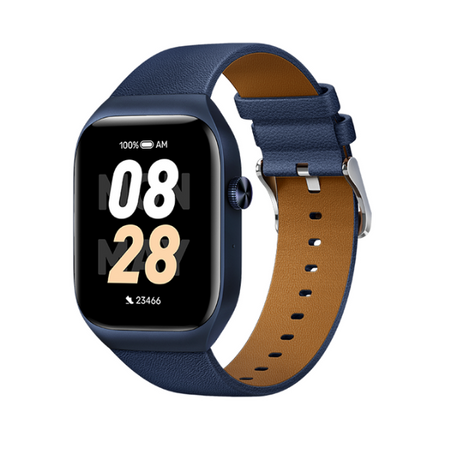
Mibro T2 Smart Watch (Deep Blue) - 1.75" Amoled Display, Bluetooth Calling, 10 Day Battery Life, 2ATM Waterproof, GPS Positioning View details | |||
|---|---|---|---|---|
| By | ||||
| By | Mibro | Haylou | Mibro | Amazfit |
| Price | ||||
| Price |
Sale price
LE 2,65000 EGP
Regular price
LE 3,35000 EGP
Unit price
|
Sale price
LE 1,22500 EGP
Regular price
LE 1,50000 EGP
Unit price
|
Sale price
LE 82500 EGP
Regular price
LE 1,15000 EGP
Unit price
|
Sale price
LE 1,35000 EGP
Regular price
LE 1,99900 EGP
Unit price
|